Windows Efficiency Mode...
Vivaldi was running like utter garbage as I was playing D&D on Roll 20. Every time I started trying to click around in my character sheet, it would hitch a bunch, then run fine again...
I couldn't figure out why. I assumed it must be some nonsense Roll 20 had done, but it ran fine last week... And I've also observed similar behavior on other sites.
I found this thread: Improve performance in Vivaldi
So it seems it has something to do with Windows Efficiency Mode?
And there used to be a flag in chromium browsers to disable it.
There is no longer such a flag.
Apparently this is a Windows feature that was originally for ARM processors, but now is for Intel as well? And it causes issues for all sorts of applications.
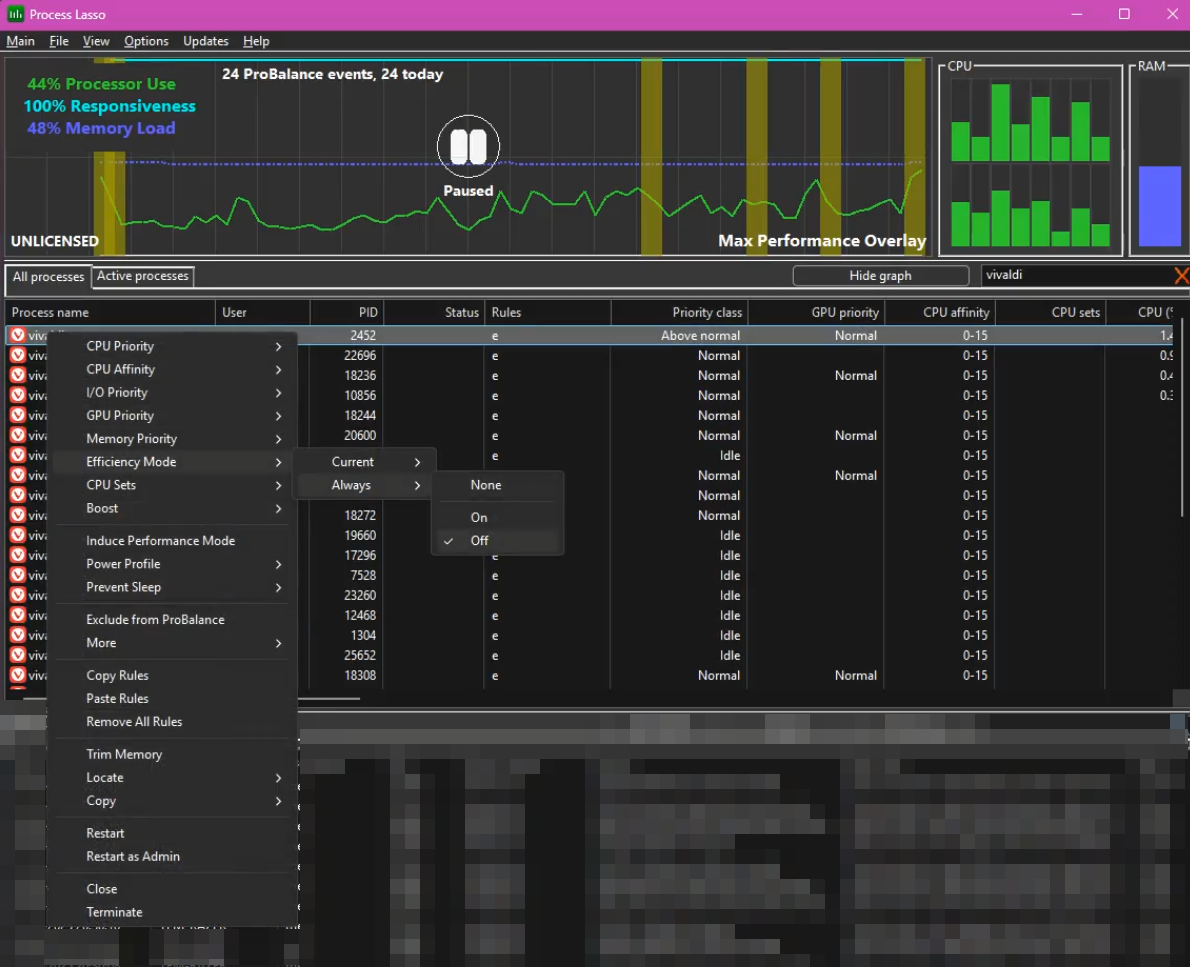
The end of this thread suggests using Process Lasso to disable Efficiency mode. [1]
Now my Vivaldi no longer runs like complete shit thanks to Windows.
I should really switch to linux...
Disabling Efficiency Mode on Vivaldi (and whatever else)
 ↩︎
↩︎