BakkesMod & Crashes
Inevitably, BakkesMod will crash your game.
Sometimes this will happen immediately.
Sometimes it will happen mid-match.
Sometimes it will happen when a certain event occurs.
It is usually not BakkesMod itself - it is more likely a questionably-coded plugin.
To narrow down the cause...
First, determine if it's Bakkes-related (Bakkes itself, or a plugin)
- Close BakkesMod
- Relaunch the game
- because Bakkes is injected into the game, the relevant code continues running even after closing the Bakkes window. The window is just there to make your modding experience slightly nicer.
- If it doesn't crash anymore, it was probably Bakkes itself or a plugin.
Second, determine if it was an active plugin:
The easy way to do this is to disable plugins using the Bakkes plugin manager.
But the injected plugins can do whatever they wish, and may do things as part of being loaded at all, or may not register themselves properly (and so do not get disabled properly when unchecked).
- I recommend starting by disabling whatever was most-recently installed, if that seems a likely cause.
- If that doesn't seem like the cause, you can uncheck things related to whatever you were doing when the crash happened.
- If all else fails, you can disable everything, and then attempt to binary-search it, which shouldn't take too long. (The upside of this is that you exclude half the list of plugins with each attempt, rather than only a few)
- Start by disabling half of the enabled plugins. (Only do this the first time)
- Play a bit (if you want to be sure, re-launch the game)
- If it crashes again, you know the bad plugin is in the list of enabled mods.
Remove half of the enabled plugins, and repeat the process. - If it doesn't, you know the bad plugin is in the list of disabled mods.
Add half of the remaining plugins and repeat the process from step 2. - Eventually you should find the specific mod that is crashing the game.
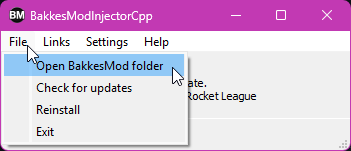
If the above steps don't work by using the Bakkes plugin manager, you can manually remove the mods by moving the DLL out of the plugins folder.
Plugins!
Freeplay
TODO
Training Packs
Make Training Packs last longer, or force them to Striker mode.
Misc
TODO